
Download Windows Package Manager (WinGet) – Windows Package Manager, WinGet, package manager, software installer, command-line tool, open-source, Windows 10, application management, software repository, developer tool
Overview
Windows Package Manager (WinGet), developed by Microsoft, is a free and open-source command-line utility designed to streamline the installation, updating, and management of software on Windows 10. As a dedicated tool for system administrators, developers, and power users, WinGet addresses the longstanding challenge of fragmented software installation processes by providing a centralized, reliable method for managing applications. The app simplifies the acquisition of software through a standardized interface, reducing reliance on manual downloads and third-party installers. Its primary purpose is to enhance efficiency and consistency in software deployment across personal and enterprise environments.
Target users include IT professionals seeking automation capabilities, software vendors aiming to distribute their products through a trusted channel, and developers who prefer scriptable, repeatable installation workflows. The tool is particularly valuable in environments where rapid provisioning of tools and dependencies is essential. By integrating with Windows 10’s native architecture, WinGet ensures compatibility with core system functions while maintaining a lightweight footprint. The developer did not provide additional technical details about the underlying infrastructure or service architecture.
Real-world use cases include automated setup scripts for new machines, bulk deployment in organizational settings, and consistent development environment configuration. In the broader app ecosystem, WinGet fills a critical gap by offering a standardized, secure, and open alternative to ad-hoc installation methods. Its open-source nature encourages transparency and community contributions, reinforcing trust and long-term sustainability.
Key Features & Functionality
- Command-Line Installation and Management: WinGet enables users to install, update, and remove applications using simple, consistent commands. This functionality supports automation and scripting, making it ideal for system administrators and DevOps workflows.
- Access to a Centralized Software Repository: The tool provides access to a curated collection of software packages, allowing users to discover and install trusted applications directly from a single source.
- Support for Software Vendors: Independent developers and vendors can publish their software through WinGet, expanding distribution reach while ensuring users receive verified, up-to-date versions.
- Seamless Integration with Windows 10: Designed specifically for Windows 10, WinGet leverages native system capabilities to ensure smooth operation and reliable dependency resolution.
- Open-Source and Community-Driven Development: As an open-source project, WinGet benefits from collaborative improvements, regular updates, and community-driven security reviews, enhancing its reliability and adaptability.
For example, a developer can use a single command like winget install VisualStudio to deploy a full development environment. In enterprise settings, IT teams can use WinGet within PowerShell scripts to provision software across multiple devices. The tool also supports silent installations, making it suitable for unattended deployments. Although the developer did not specify exact package availability or update frequency, the presence of a public repository indicates ongoing maintenance and curation.
Interface, UX & Performance
Windows Package Manager operates exclusively through a command-line interface, which reflects its focus on automation and technical users. The UI is minimal, with no graphical elements, prioritizing functionality and scriptability over visual design. Navigation is straightforward, relying on standard command syntax and built-in help documentation accessible via winget --help.
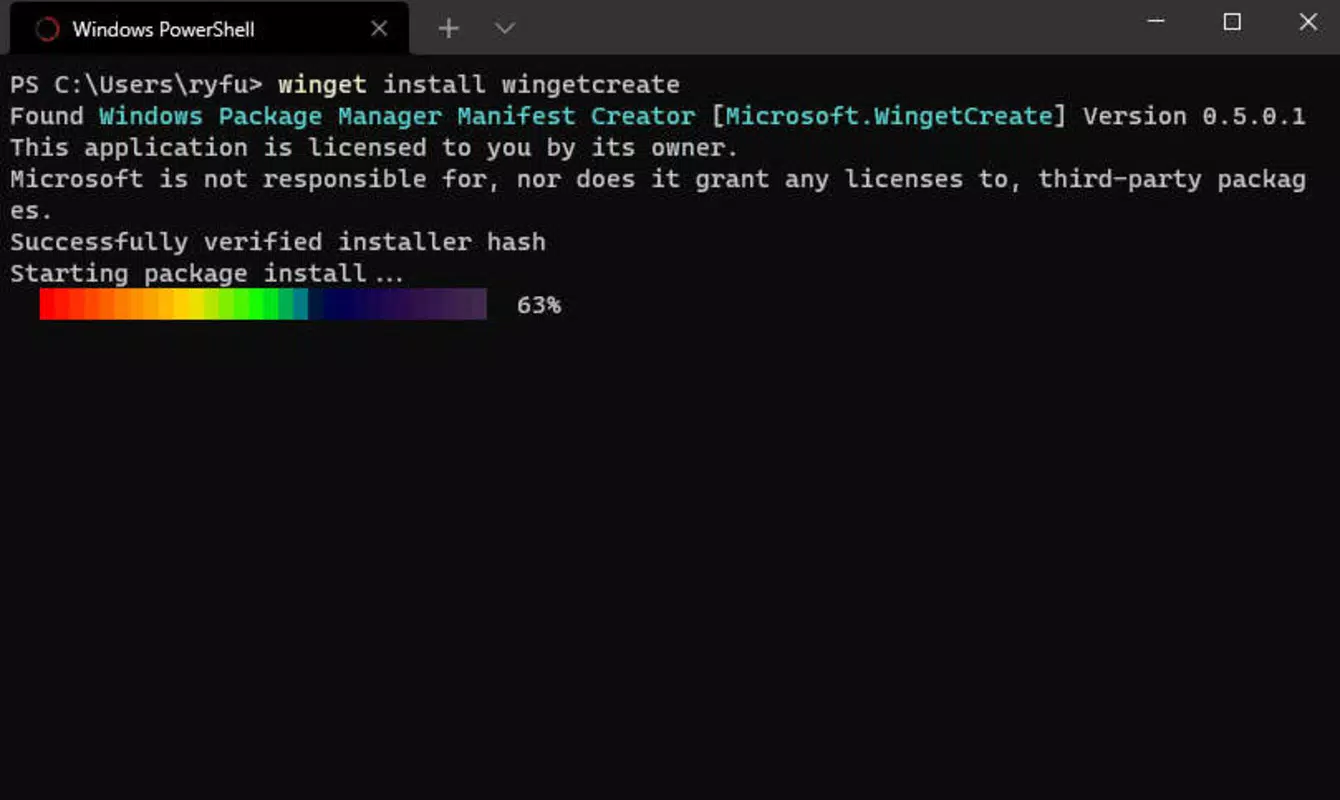
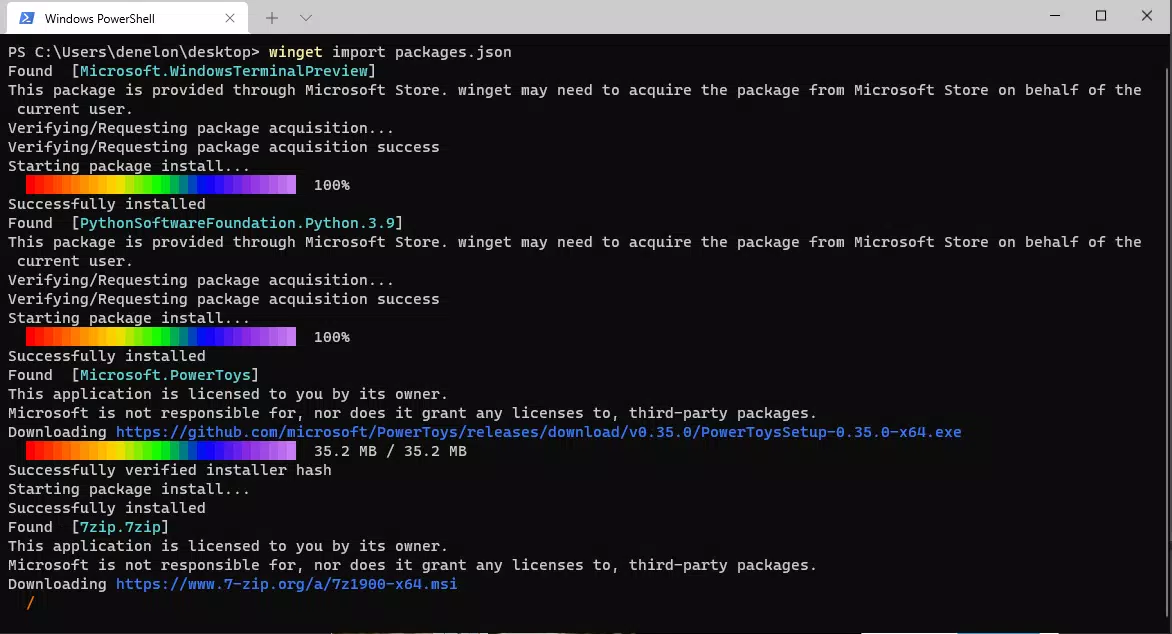
Users interact with WinGet through terminal environments such as PowerShell or Command Prompt. The tool responds to input with clear, structured output, including status messages, installation progress, and error diagnostics. Responsiveness is consistent across device categories, though the developer did not list formal performance metrics or benchmark data. Stability appears high, given the tool’s integration with Windows 10 and its use in production environments.
Although the developer did not list formal performance metrics, the lightweight nature of the application—30.4 MB in size—suggests efficient resource usage. The absence of a graphical interface reduces overhead, making it suitable for use on both high-end workstations and lower-spec systems. The tool is designed to operate reliably during network-dependent operations such as package downloads and verification.
Platform Compatibility & Technical Requirements
Windows Package Manager is available for Windows 10, ensuring compatibility with a widely used operating system. The current version is 1.4.10080, with a file size of 30.4 MB. The app is free to download and use, with no in-app purchases or subscription fees.
Specific requirements were not listed, including minimum OS build, processor architecture, or RAM specifications. The developer did not specify whether the tool supports older Windows 10 versions or future updates beyond the current release. Compatibility information was not fully disclosed, but the tool’s integration with Windows 10 suggests it is designed for stable, long-term support builds.
Pros and Cons
Pros
- Free to use with no hidden costs or subscriptions
- Open-source nature promotes transparency and community trust
- Efficient command-line interface ideal for automation and scripting
- Centralized software repository simplifies discovery and installation
- Seamless integration with Windows 10 enhances reliability and performance
Cons
- No graphical user interface limits accessibility for non-technical users
- Specific system requirements were not disclosed
- Limited public information on update frequency and package curation policies
- Dependent on Windows 10, limiting use on other operating systems
- Learning curve for users unfamiliar with command-line tools
FAQ
Is Windows Package Manager safe to use?
Yes, WinGet is developed by Microsoft and uses verified software packages from trusted sources. It supports package signing and integrity checks to help ensure security during installation.
Can I install WinGet on older versions of Windows?
The developer did not specify compatibility with Windows 10 versions prior to the current release. It is recommended to use the latest supported build for optimal performance and security.
Is WinGet available for Android or iOS?
Windows Package Manager is designed exclusively for Windows 10 and is not available on Android or iOS platforms.
How often are packages updated in the WinGet repository?
Update frequency depends on the software vendor and the maintenance schedule of individual packages. The developer did not provide specific details on how often the repository is refreshed.
Can developers publish their own software through WinGet?
Yes, independent software vendors can distribute their applications via WinGet by following the official publishing guidelines and submitting their packages to the repository.
Final Thoughts
Windows Package Manager (WinGet) represents a significant advancement in software management for Windows 10 users. Its command-line foundation, open-source model, and integration with Microsoft’s ecosystem make it a powerful tool for developers, IT professionals, and system administrators. While the lack of a graphical interface may deter casual users, its efficiency, reliability, and automation capabilities offer substantial value in technical workflows.
For those managing multiple systems, setting up development environments, or distributing software at scale, WinGet delivers a streamlined, secure, and future-ready solution. The tool’s lightweight design and free availability further enhance its appeal. Whether you're automating deployments or simplifying daily software tasks, WinGet provides a robust foundation for modern Windows management.
Download Windows Package Manager (WinGet) now


